RahaTask – Integrated Project & Team Management Platform
A scalable multi-tenant SaaS workspace where teams manage projects, tasks, documents, and events under one roof — with full isolation per account and deep collaboration at every level.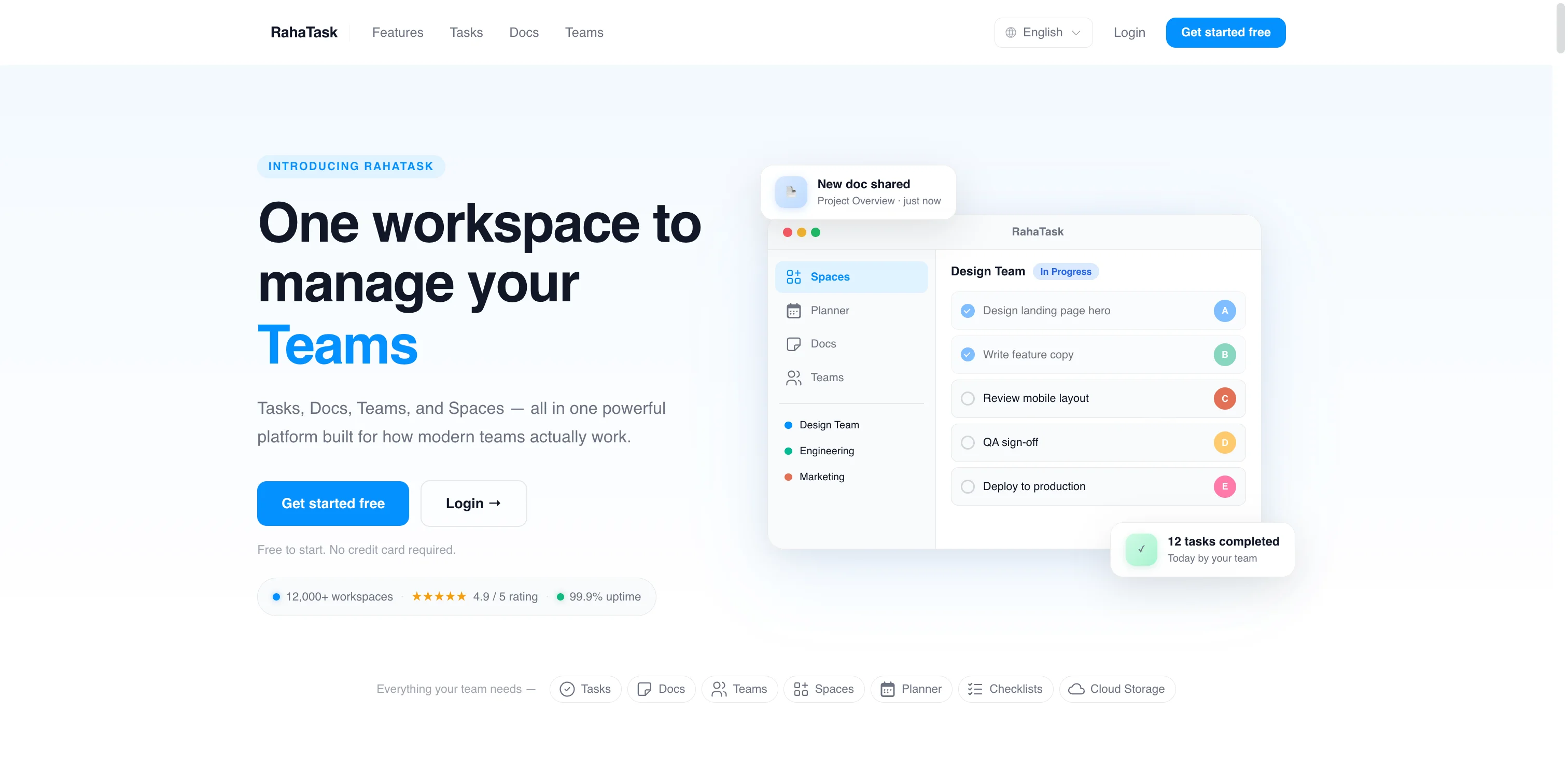
RahaTask – A Complete Workspace for Projects, Teams, and Tasks
RahaTask is a professional, multi-tenant SaaS platform for managing projects, teams, tasks, documents, and events — inspired by modern tools like ClickUp, Trello, and Asana, but built with a flexible and independent architecture tailored for real business needs. Every account operates in full isolation, allowing companies and teams to manage their work in one organized, scalable environment. RahaTask delivers a seamless collaborative experience across all modules with full real-time communication support.Unique Value Proposition
- True multi-tenancy: every resource is scoped to a single account — no data leakage, clean isolation per workspace.
- Hierarchical structure: Spaces → Folders → Lists → Tasks gives teams the flexibility to organize projects the way they think.
- Rich task model: each task carries assignees, team assignments, comments, attachments, checklists, and a full activity log.
- Built-in documentation: nested Docs with rich content support turn RahaTask into a full internal knowledge base.
- Per-user personalization: theme, language, timezone, and more — all stored per user.
- Multilingual first-class: full support for English, Arabic (RTL), and German out of the box.
Core Modules
- Spaces: top-level workspaces within an account — each with its own members, folders, lists, and tasks.
- Folders & Lists: organizational layers inside a Space for grouping tasks with custom statuses per list.
- Tasks: the core work unit — with priority, dates, status, assignees, team assignments, comments, attachments, checklists, and activity history.
- Teams: cross-space reusable teams that can be assigned to tasks independently of Space membership.
- Docs: nested internal documentation pages with rich content, templates, tagging, archiving, favorites, and per-doc ownership.
- Planner: a calendar-based event system linked to tasks or docs, with participants, reminders, video call links, and availability settings.
- Storage: account-level file and folder management with per-file member access control.
- Leads: a lightweight CRM module for tracking leads and their notes within the workspace.
- Notifications: account-level notification system triggered by task and workspace events.
- User Preferences: per-user settings for appearance, language, timezone, accessibility, and productivity options.
Business Rules
- Tenant scoping: all data is strictly scoped to the active account — no cross-account access by design.
- Custom statuses per list: each list can define its own workflow statuses independently of other lists.
- Flexible task assignment: tasks can be assigned to individual users, entire teams, or a mix of both simultaneously.
- Nested docs: documents support parent–child relationships, enabling full wiki-style page hierarchies.
- Activity audit trail: every significant change on a task is recorded with actor, type, message, and metadata — displayed in the user's language.
- Comment threading: task comments support replies, likes, and per-comment attachments.
- Planner linkage: events can be linked to a task or a document, bridging scheduling with execution.
User Flows
- Workspace Owner: create account → invite members → create spaces → add folders and lists → assign tasks to users or teams → track progress via activity logs and planner.
- Team Member: join workspace → browse assigned tasks → update status and progress → collaborate via comments, attachments, and checklists → participate in planner events.
- Knowledge Worker: create and organize nested docs → link docs to planner events → share with specific owners → archive or favorite for quick access.
- Platform Admin: manage accounts, configure app settings, control languages, handle leads, and oversee platform-level data.
Space & Task Experience
- Browse spaces and switch between folder-based or flat list organization within each space.
- Create and manage tasks with priority levels, date ranges, and custom statuses per list.
- Assign tasks to multiple users or entire teams with tracked assignment history.
- Track task progress through checklists with completion percentages and per-item assignees.
- Full activity feed per task showing who changed what and when, displayed in the user's language.
- Threaded comments with file attachments and emoji-style likes for lightweight team communication.
Docs & Knowledge Base
- Create rich text documents with icons, covers, tags, and excerpts.
- Nest pages under parent docs to build structured wikis and knowledge trees.
- Assign multiple owners per document for shared responsibility.
- Use templates to standardize recurring document formats.
- Archive, favorite, and control visibility per document.
- Link documents directly to Planner events for context-aware scheduling.
Planner & Calendar
- Create events with start/end times, all-day support, color coding, and privacy settings.
- Link events to tasks or documents for execution-to-schedule traceability.
- Add participants from the workspace with notification support.
- Attach video call links directly to events.
- Set reminders and manage event availability status.
- Leads can be linked to planner events for sales scheduling.
User Personalization
- Per-user theme color and appearance mode (light/dark/system).
- Language selection (English, Arabic, German) with RTL automatic layout switching.
- Timezone, date format, time format, and week start day.
- High contrast mode, toast notifications, keyboard shortcuts toggle.
- Markdown support, celebration effects, link display preferences.
Roadmap (MVP → Expansion)
- MVP: spaces, folders, lists, tasks, comments, checklists, teams, docs, planner, storage, notifications, user preferences, multilingual support.
- Later: Gantt chart view, time tracking, recurring tasks, advanced permissions per space/list, public shareable docs, mobile apps, integrations (Slack, email, webhooks), reporting dashboards, billing and subscription management.
Compliance & Security
- Full tenant isolation — no cross-account data access by design.
- Activity audit logs on all sensitive task and document operations.
- Role-based access control per resource type.
- Rate limiting and protection against common web vulnerabilities on all endpoints.
- Signed device tracking for admin logins.