RahaVidia – Your AI Assistant for Life & Business
An AI assistant for life and business that brings tasks, email, calendars, finances, and customers together, with custom agents, phone calls, automations, and integrations that turn everyday requests into clear actions under your control.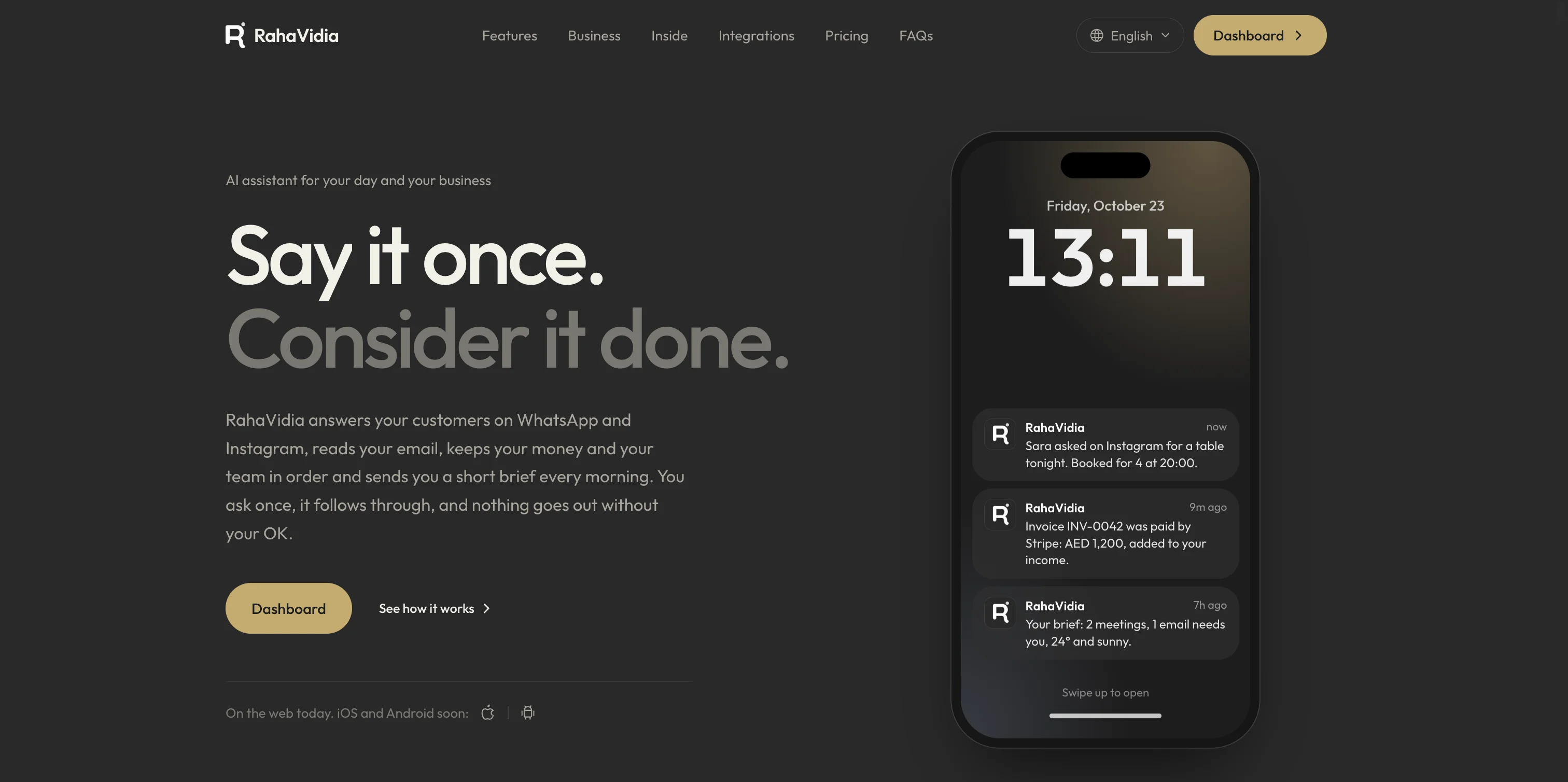
Take the app with you
Our mobile apps are on the way. Coming very soon to iOS and Android.
Coming very soon
App Store
For iOS
Coming very soon
Google Play
For Android
RahaVidia – One Assistant for Your Life and Business
RahaVidia is an AI assistant platform that brings daily planning, communication, finances, and business tools into one place. Type a request, speak to your assistant, or share a file or photo. It can use the tools you allow to organize information, prepare actions, carry them out, and track their results. The goal is to spend less time on administrative details while keeping your priorities, appointments, relationships, and work visible and manageable.From Your Own Words to a Clear Action
Requests such as 'remind me to follow up with the client tomorrow', 'prepare a reply to this email', or 'record this receipt as an expense' become starting points for work inside your tools. The assistant uses the conversation and information available to it, presents a draft or action for review when needed, and shows the outcome so you can see what happened and what still needs your decision. Manual management pages remain available to review and edit the details directly.Custom Agents with a Defined Role
Create a personal assistant, a support or sales agent, or an agent for a role of your own, with its own name, instructions, communication style, and knowledge. Add reference files or information from your business website, choose the tools and channels it can use, and test its answers before activation. Personality, voice, and supported AI model settings help adapt the experience to your needs.Tasks, Reminders, and a Clear View of Your Day
Create tasks with lists, priorities, deadlines, and subtasks. Track overdue work and repeat recurring commitments. Reminders and daily summaries keep tasks, appointments, and pending decisions in view, with settings for your time zone, notification channels, and quiet hours. Add tasks manually, through the assistant, or by voice, then edit, complete, or postpone them from your account.Calendar and Meeting Planning
The platform provides an internal calendar and an optional Google Calendar connection to bring appointments into your workflow. View your schedule, find available time slots, check conflicts, and prepare new or rescheduled events through the assistant. Meeting preparation brings together available information related to an appointment, helping you start with a clearer understanding of what needs attention.Email and Conversations in Context
Connect supported mailboxes such as Gmail, Outlook, and custom email, then read and search conversations from within the platform. AI helps summarize messages, translate them, and prepare replies, with drafts available for review before sending. You can configure automatic reply rules within the permissions you set and follow connected customer channels such as WhatsApp Business and Instagram.Contacts and Connected Follow-ups
Keep contact and customer details, notes, and custom fields together, and import or export contacts when needed. The assistant can find the intended person and use their details to prepare a message, call, or follow-up task. Connecting communication with tasks and records helps preserve the context of a relationship without gathering the same information again each time.Everyday Finances and Invoices
Record income and expenses, organize wallets, categories, and budgets, and track recurring commitments, debts, and savings goals. Financial tools include creating and sending invoices, downloading PDFs, and recording payments, alongside reports, data exports, and the option to connect records with Google Sheets. The assistant can also help add transactions, find them, and explain their summaries within a conversation.Turn a Photo into a Useful Record
Turn receipt and invoice images into expenses linked to their original image, and turn business card photos into contacts with extracted details. The scanning page keeps the source and the resulting record together so you can review the information and refer back to it, reducing manual copying of names, amounts, and details between applications.Practical Tools for Running a Business
- Front desk: See connected customer channels, the agents responsible for them, and replies awaiting review.
- Orders and bookings: Organize orders, customers, dates, preparation, and delivery status.
- Product and service catalog: Keep prices, availability, and information that helps agents answer questions and handle orders.
- Team: Organize staff, shifts, time off, task assignments, and progress.
- Daily journal and reports: Record the day and cash movements, then review orders, finances, tasks, and outstanding items.
An Assistant on the Phone
Connect a phone number to an agent to answer calls according to its instructions and knowledge, with call history, summaries, and transcripts. Prepare an outgoing call by defining the recipient, purpose, instructions, and language, then review the mission and approve starting the call. Tools also support testing scenarios, following call progress, sending SMS, and using a verified personal number as caller ID where supported. Phone capabilities depend on available numbers, calling destinations, service configuration, and credits.Automations That Connect the Steps
Build a workflow that starts on a schedule, from a message or order, or from an event in a connected application. Add steps to process, summarize, classify, and extract information, create tasks, send notifications, and update tools. Workflows support conditions, branches, waits, and approval steps, with a history of runs and step results. You can also describe an automation in natural language for help building it, then review and test it before putting it to work.Integrations That Extend Your Workspace
- Email and productivity: Gmail, Outlook, custom email, Google Calendar, Google Sheets, and authorized Google Drive files.
- Communication: WhatsApp Business, Instagram, and channels for speaking to your assistant such as Telegram, depending on available connections and settings.
- Team and data tools: Post updates to Slack, Discord, and Microsoft Teams channels, and work with Notion and Airtable.
- Customers and commerce: Integrations with HubSpot, Mailchimp, Stripe, Shopify, and WooCommerce support data, payments, and orders.